What mangal to kruti dev means for a press job
In a prepress shop, this conversion means lifting the readable Unicode Hindi a client typed in Word and re-laying it into Kruti Dev 010, the legacy DTP font that decades-old PageMaker, CorelDraw, and government press templates were built around. Mangal is not a separate "format" you paste straight into those frames; it is plain Unicode Devanagari that displays everywhere on its own.
The press frame, however, was set up before Unicode existed, so it reads only the old ASCII byte positions Kruti Dev uses. This page is for the operator at the layout machine: the job is to bridge that gap so a modern manuscript drops cleanly into an old design without re-keying a line. To convert mangal to kruti dev cleanly, the tool rewrites each Unicode code point back to the ASCII byte the press face expects, so the copy slots into the frame on the first try.
Production guide
The prepress pipeline, manuscript to press-ready frame
A client sends Hindi typed in Mangal in Word or Google Docs; the press wants Kruti Dev 010 in an old PageMaker or CorelDraw file. This is the order to follow so the copy lands in the layout without reflowing the page.
Here is the fact that trips up most operators: Mangal is Unicode Hindi. It shipped with Windows as a Unicode Devanagari font and stores every letter as a standard code point in the U+0900–U+097F block, so the consonant "क" lives at U+0915 and renders on any modern machine without a font. Kruti Dev 010 predates that standard; it is a legacy DTP face that puts Devanagari glyphs onto ASCII byte positions, so the same "क" is physically stored as the Latin byte "d".
Swap the font menu in a Mangal document to Kruti Dev and nothing converts: the bytes still say Unicode, the legacy face paints whatever glyph sits at those positions, and you get a frame full of garbage. That is why a font change is never a conversion, and why the press frame needs the bytes rewritten first.
On the floor
Five production stages, in order
- Receive the Unicode copy. Take the Mangal or Unicode Hindi exactly as the client sent it, from Word, Google Docs, or an email body, where it already reads correctly without any font applied.
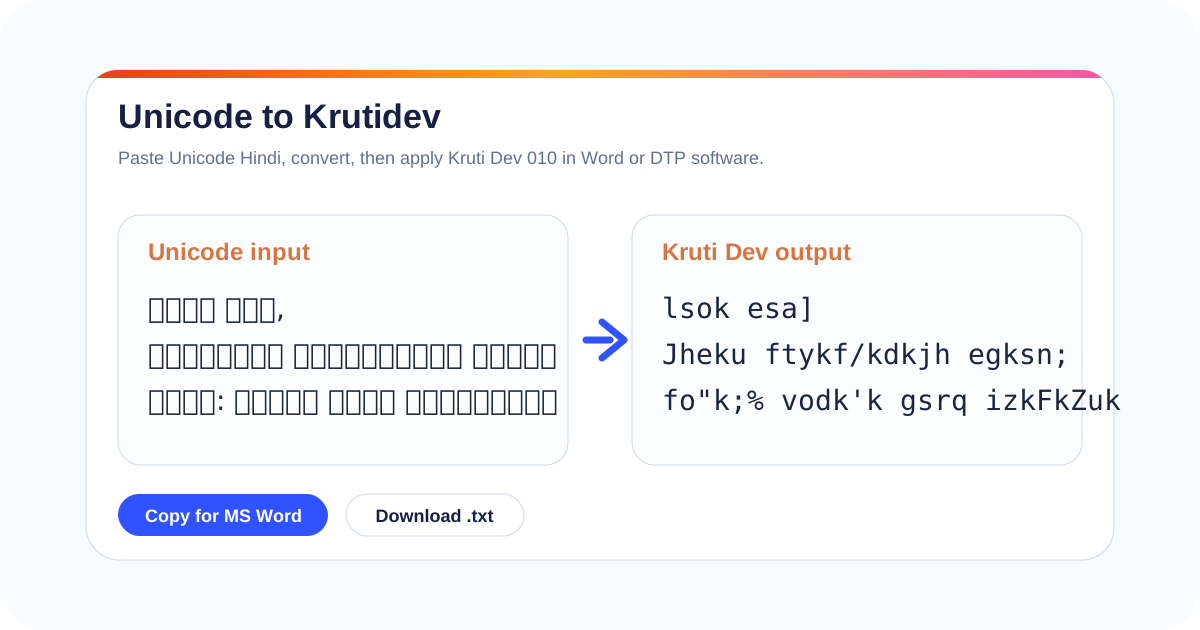
- Produce the Kruti Dev 010 output. Paste that copy into the left panel above; the Kruti Dev 010 text appears on the right, ready to lift. Use Copy for MS Word for a layout handoff, or plain Copy for a text frame.
- Place it in the layout. In PageMaker, CorelDraw, or your press template, paste into the existing Kruti Dev text frame and apply the exact face the frame already uses, not just any Kruti Dev face.
- Proof glyphs and conjuncts. Read the live frame against the client copy: half-letters, the i-matra (कि), reph (र्), and stacked conjuncts like क्ष and ज्ञ are where legacy faces drift.
- Export to press. Once the frame proofs clean, export to the PDF or plate file the printer expects, with fonts embedded or outlined so the Kruti Dev face cannot substitute at the RIP.
Because the pass only rewrites the byte mapping and leaves your words alone, you can pour a fresh Unicode manuscript into a layout set in the 1990s without re-keying a single line. The toggle above also exposes Remington and Inscript, the two keystroke layouts most Hindi typing tests and older offices still grade against. A mangal to kruti dev pass is therefore a print-stage step, run once the proofing in Unicode is already signed off.
Problems inside layout software, and the fix
Six print-floor failures that appear once converted copy meets an old frame, each with the cause and the fix.
Missing-glyph boxes in PageMaker
Empty tofu boxes in a PageMaker frame mean the converted output is correct but the frame is set to a face that lacks those byte positions, often a plain Latin face left on the frame. Select the pasted run and apply the actual Kruti Dev 010 face the template was built with; the glyphs fill in immediately.
Conjuncts and ligatures split wrong in CorelDraw
CorelDraw can break a stacked conjunct like क्ष, त्र, or ज्ञ across a line or render it as loose half-forms when the legacy face handles ligatures differently from the proof. After placing the text, walk every conjunct in the live frame against the client copy and nudge the affected runs rather than retyping.
Kruti Dev 010 vs 016 mismatch in the template
If the whole frame reads as scrambled Latin even after you applied "a" Kruti Dev face, the byte mapping of 010 does not line up with the variant the template expects, commonly 016. Confirm the exact variant on the printer's spec sheet and apply that precise face name.
Kerning and tracking shift after paste
Legacy faces carry their own metrics, so pasted Kruti Dev copy can sit looser or tighter than the surrounding frame. Reset the run's tracking to the template default and re-apply the paragraph style instead of letting the paste keep its own spacing.
Excel and Word handoff fails to keep the mapping
When copy travels from an Excel sheet or a Word table into the layout, smart-paste can re-encode or auto-correct it. Paste as unformatted text (Ctrl+Shift+V), then apply the Kruti Dev face, so the byte positions reach the frame untouched.
Danda and numerals fall in the wrong slot
The Hindi danda, double danda, and Devanagari digits sit at different byte positions in legacy faces than in Unicode. Proof every sentence end and every number in the frame, because a misplaced danda is easy to miss until the plate is already made.
Encoding references behind this guide
The standards and history checked against when documenting this conversion for print.
Unicode Devanagari code chart
The Unicode Consortium's Devanagari chart (U+0900–U+097F) lists every code point Mangal and other Unicode Hindi faces use, which is the editable side of any mangal to kruti dev job.
Unicode Devanagari chart (unicode.org)Legacy DTP and the Kruti Dev family
Desktop publishing in the 1980s and 1990s relied on proprietary glyph-on-ASCII font encodings before Unicode. India's press and government work standardised on the Kruti Dev family in that era, which is why those templates still demand a legacy face today.
Desktop publishing on WikipediaMangal and Nirmala UI as Unicode faces
Mangal, and its successor Nirmala UI, are the Unicode Devanagari faces Windows ships, which is why "Mangal text" almost always means ordinary Unicode Hindi rather than a distinct file type.
Devanagari script reference (Wikipedia)