office · exam · DTP
Where is this Hindi going next?
यूनिकोड से कृतिदेव, the page is built around your destination, because that is what decides whether Kruti Dev 010 sticks or bounces.
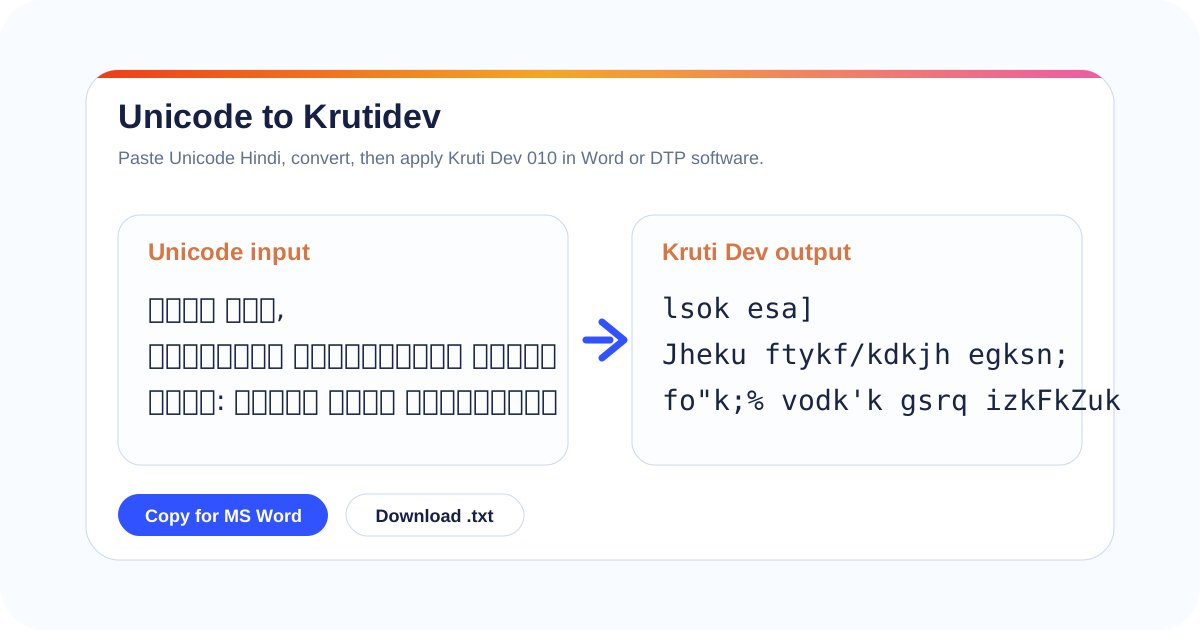
Unicode to Krutidev takes Hindi that is stored as real Devanagari and rewrites it into the font-mapped form that older Hindi software still expects. Paste Hindi on the left, take the Kruti Dev 010 output on the right, and carry it into Word, Excel, CorelDraw, or a typing-test box, where it shows as Hindi the moment the matching font is applied. People reach for a unicode to krutidev converter at the exact point where modern Hindi has to meet an old destination that will not read Unicode.
A font swap alone never does this. Unicode keeps every Hindi letter in a fixed slot, the Devanagari block runs from U+0900 to U+097F, a span of 128 code points, so the bytes already are Hindi. Kruti Dev belongs to an older 8-bit world where the byte for the Roman letter l draws स and the byte for H draws भ. Re-tagging Unicode bytes with a Kruti Dev font cannot move them into those ASCII slots, so the screen fills with Roman letters. The characters themselves have to change, and that is the whole job here. A unicode to krutidev converter does exactly that character change, which is why the output drops cleanly into Kruti Dev 010.
Match the output to where the text lands
The decision that makes a unicode to krutidev conversion stick is not which button to press; it is asking where the Hindi goes next. A line of Kruti Dev 010 behaves one way in a Word letter and another inside a government typing-test panel. Find your destination, then verify the one thing in the last column before you send.
| Where the text is going | Output to use | Verify before you send |
|---|---|---|
| MS Word / WordPad letter or notice | Kruti Dev 010, pasted as plain text | Select the pasted block and set the font to Kruti Dev 010; confirm matras on names and dates sit correctly. |
| CorelDraw or PageMaker layout | Kruti Dev 010 (paste into a fresh text frame) | The frame must already carry the Kruti Dev font, or import strips it back to Roman. Check reph and conjuncts after import. |
| Government Hindi typing test (CPCT, SSC, high-court) | Whatever the notice names, Kruti Dev or a Remington-feel layout | Read the exam circular: many panels want Remington keystroke patterns, not just the 010 glyphs. Match the named requirement exactly. |
| Sarkari form, affidavit, or printed certificate | Kruti Dev 010 unless the form states another family | Proper nouns and legal terms first; then print-preview, because the press machine, not the screen, is the real test. |
| Excel cell or column | Kruti Dev 010 per cell | Set the font on the cells, not the whole sheet, so numbers and English headers stay in their own font. |
From the unicode to krutidev converter into an MS Word letter
The moment that confuses people is right after the paste, when Word shows a wall of Roman letters. Nothing is broken, the font dropdown simply has not caught up yet, and the online unicode to krutidev converter has already done its part.
Five steps from paste to a finished Word letter
- Paste your readable Hindi into the converter and read the Kruti Dev 010 output it returns.
- Copy that output, then paste it into Word as plain text, Ctrl+Shift+V, or "Keep Text Only", so no web font rides along.
- Expect Roman-looking text such as jktHkk"kk fgUnh at this point; that is the halfway state, not a failure.
- Select the pasted block (Ctrl+A for a full Hindi document) and set the font to Kruti Dev 010 from the Home ribbon.
- Check names, dates, and matras against your original Unicode copy before saving or printing.
If Kruti Dev 010 is not in the font list, the font is simply not on that computer: converting text never installs a font, so you (or whoever opens the file later) must add the licensed Kruti Dev font your office or exam specifies before the Hindi can appear.
Excel follows the same logic with one trap. Do not force one font on the whole sheet, or your numbers, dates, and English headers also turn into Kruti Dev and become unreadable. Apply Kruti Dev 010 only to the cells that hold Hindi.
Snags that appear only at the destination
A unicode to krutidev pass is only half the job; these snags show up when the text reaches its real home, not in a clean one-line demo. Each one is a destination problem, and each has a fix.
The typing-test panel rejects your keystrokes
Hindi typing exams such as CPCT, SSC, and many high-court recruitments specify a layout, and "Kruti Dev" and "Remington" are not interchangeable there. The 010 glyphs may render, yet the test scores you against Remington key positions. Read the exact wording in the exam circular and practise on the layout it names; the keyboard panel above shows where each key sits.
CorelDraw or PageMaker import drops back to Roman
Layout software keeps font on the text frame, not the clipboard. Paste Kruti Dev output into a frame still set to a Unicode face and it reverts to Roman letters. Select a frame already carrying the Kruti Dev font, then paste, then check reph (र्) and stacked conjuncts like क्ष and त्र, where DTP imports slip most often.
Excel turned my numbers into Hindi gibberish
This is almost always a whole-sheet font change. Kruti Dev maps digits and Roman letters too, so applying it to the entire sheet mangles amounts, dates, and English headers. Undo, then apply the font only to the cells that hold Hindi, leaving numeric and English columns on their original font.
The PDF I exported shows boxes or Roman text
A Kruti Dev document only exports cleanly to PDF if the font is embedded. Use "Embed fonts" (or the print-to-PDF route) before sending, or the recipient's machine, which may not own Kruti Dev, falls back to a default face and shows boxes. Always open the finished PDF once yourself before forwarding it.
Names and legal terms in sarkari work
A conversion changes the mapping faithfully; it cannot judge whether a village name, designation, or section number is spelled the way an affidavit, tender, or mark sheet requires. For anything signed or printed, read the proper nouns against your original Unicode copy line by line.
It looks right on your screen, wrong on theirs
Legacy Hindi only displays where the matching font is installed. A letter that is perfect on your office PC can arrive as Roman code on a colleague's laptop that lacks Kruti Dev. When the destination computer is out of your control, deliver a font-embedded PDF rather than an editable file.
About this online unicode to krutidev converter
What the tool does, and the habits that keep a serious document safe.
Free, no account, nothing stored
It is free with no sign-up and no account, and nothing you paste is saved. Convert a confidential office letter, an exam form, or a legal draft and the text stays yours. The same free tool runs a single line or a fifty-page notice.
Routed by destination, not the button
An online unicode to krutidev converter that only swaps characters leaves you to fail at the destination. This unicode to krutidev page leads with where the text is going, so the verification step is part of the workflow, not something you discover when a file bounces back.
For Indian office, exam, and DTP work
This unicode to krutidev converter is tuned for the Hindi people actually produce: rajbhasha correspondence, recruitment forms, Kruti Dev 010 typing practice, and print-shop layouts. The ten Devanagari digits convert too, so dates, amounts, and roll numbers carry across alongside the letters.
Where these facts come from
The encoding claims here are checkable against primary sources: the Unicode Devanagari chart, the documented Kruti Dev / Remington layout history, and India's official Hindi (Rajbhasha) guidance.
Send the text somewhere else from here
If the source you hold is not the case this page handles, these are the right neighbours to pick up next.
Pick the page that matches your source
Identify the text in your hand before you convert: readable Devanagari belongs on this converter, coded-looking legacy text goes to a reverse page, and a different legacy family needs its own converter.
Questions people ask before they convert
Straight answers, in plain English.