rajbhasha office, typing test, DTP, legacy Hindi font
Unicode to Krutidev conversion guide
The Unicode to Krutidev converter (यूनिकोड से कृतिदेव) is the hub for users who already have readable Hindi text and need Krutidev output for a rajbhasha office letter, exam form, legacy document, or print layout.
What changes during conversion?
Unicode stores Hindi as real Devanagari characters. That is why the same text works in browsers, phones, email, search, Google Docs, modern Word files, and most government portals. Krutidev is different: it is a legacy font workflow where keyboard positions are mapped to Devanagari-looking glyphs. The converted output may look wrong until the target app is told to display it with a Krutidev font.
In technical terms, Unicode places Devanagari in a fixed block of 128 code points from U+0900 to U+097F, covering all 11 vowels and 33 consonants of standard Hindi, while Kruti Dev is an 8-bit legacy design that reuses the 256 character positions of the older system it replaced around 1991.
A clean conversion workflow has 3 parts: keep the original Unicode text safe, generate the legacy output, and review the pasted result in the final program. This matters for office letters, notices, certificates, DTP layouts, recruitment forms, and typing practice where one wrong matra or half-letter can change the meaning.
The tool is designed for users in India who move Hindi text between modern Unicode systems and older Kruti Dev 010 requirements. It keeps the converter first, avoids login, avoids ad clutter, and gives practical checking guidance instead of only showing two empty text boxes. The same engine also converts the 10 Devanagari digits 0 to 9, so dates, amounts, and roll numbers stay correct.
Fast workflow
- Paste Unicode Hindi or Mangal text in the input box.
- Convert the text and copy the Krutidev result exactly as shown.
- Paste into Word, Excel, PageMaker, CorelDraw, Photoshop, or the required legacy program.
- Select the pasted text and apply Kruti Dev 010, or the exact font name requested by the office or exam notice.
- Review names, dates, matras, half letters, reph, punctuation, and spacing before final submission.
Unicode, Mangal, and Krutidev compared
Most confusion comes from mixing a character encoding, a Unicode font, and a legacy font, which is why people search both Unicode to Krutidev and Unicode to Kruti Dev for the same task. Use this table before converting a serious document. Mangal has shipped with Windows since the year 2000, Unicode 1.0 standardised Devanagari in 1991, and Kruti Dev 010 is still the single most requested variant in office and exam work more than 30 years later. This converter runs 100 percent in the browser and sends 0 characters to a server, so even 50-page documents stay private.
| Format or font | What it means | Best for | Common issue |
|---|---|---|---|
| Unicode Hindi | Real Devanagari characters encoded for modern systems. | Web, phones, email, search, portals, modern Word documents. | Legacy templates may reject it when they expect Krutidev. |
| Mangal | A Unicode Devanagari font commonly found on Windows. | Readable Hindi in Word and office documents. | Users sometimes call all Unicode Hindi text "Mangal". |
| Kruti Dev 010 | A common legacy Devanagari font used in older Hindi workflows. | Typing tests, old Word templates, DTP and print jobs. | Text can look like English letters if the font is not selected. |
| Chanakya or DevLys | Other legacy Hindi font families with their own mappings. | Old local documents and print-shop archives. | Each legacy font needs its own conversion mapping. |
Fix common Krutidev conversion problems
These checks make the page more useful than a basic paste-convert-copy tool, especially for office and DTP users.
Output looks like random English
That usually means the converted text is correct but the target app is not using a Krutidev font. Select the output and change the font dropdown to Kruti Dev 010. If the file asks for a different Krutidev family member, use that exact font.
Matras or half letters look unusual
Legacy Hindi fonts depend on character order. Review words with ि, ी, ्, र्, क्ष, त्र, ज्ञ, and names. For official letters, compare the final pasted text against the original Unicode copy before submitting.
Text is needed for WhatsApp or mobile
Do not convert to Krutidev for normal mobile sharing. Keep Unicode text for WhatsApp, SMS, email, forms, websites, and social apps. Convert only when the receiving document specifically requires a legacy Hindi font.
Old file has Krutidev already
If the source text came from an old Word or DTP file and already looks like coded Latin letters, use the reverse Krutidev to Unicode page. This page is for readable Unicode Hindi going into Krutidev.
Font is missing in MS Word
Conversion does not install fonts. If Kruti Dev 010 is not in the font list, install the licensed font source required by your office or exam instructions, reopen Word, and apply the font to the converted text.
Long documents need cleanup
For notices, forms, tables, and letters, convert one section at a time. Keep headings, tables, and signatures separate so final formatting in Word, PageMaker, or CorelDraw stays predictable.
Where the Unicode to Krutidev converter fits
The goal is not to replace Unicode. The goal is to bridge old Hindi font requirements without making the user fight broken layouts.
Government and office letters
Many offices still exchange Word files, notices, and templates that were created around Krutidev. Convert the text, paste it, apply the required font, then check names, department terms, and dates.
Typing tests and practice
Hindi typing test preparation often refers to Kruti Dev 010 or Remington-style layouts. Use the keyboard section to understand key positions, but use Unicode for normal digital communication.
DTP, PageMaker, CorelDraw
Print shops and legacy DTP files may expect font-mapped Hindi. Convert clean Unicode source text first, then paste into the layout software and apply the same Krutidev font used in the design.
Archives and mixed documents
If a document mixes Unicode paragraphs with old legacy font text, handle each part separately. Convert readable Hindi here; use the reverse tool for Krutidev text that already appears as coded Latin characters.
before final submit
Review checklist for important documents
Legacy conversion is a formatting bridge. Serious office work still needs a human review pass.
- Compare the final pasted text against your original Unicode copy.
- Check names, addresses, designations, dates, amounts, and legal references.
- Inspect matras around short इ, long ई, उ, ऊ, and compound letters.
- Review र्, रेफ, half letters, punctuation, bullets, and line breaks.
- Open the document once on the receiving computer if possible, because missing fonts are common in legacy workflows.
Unicode to Krutidev conversion quality notes
Unicode to Krutidev conversion is predictable when the source and destination are identified correctly. The mistakes usually come from mixing formats, not from the button itself.
Start by identifying the source text
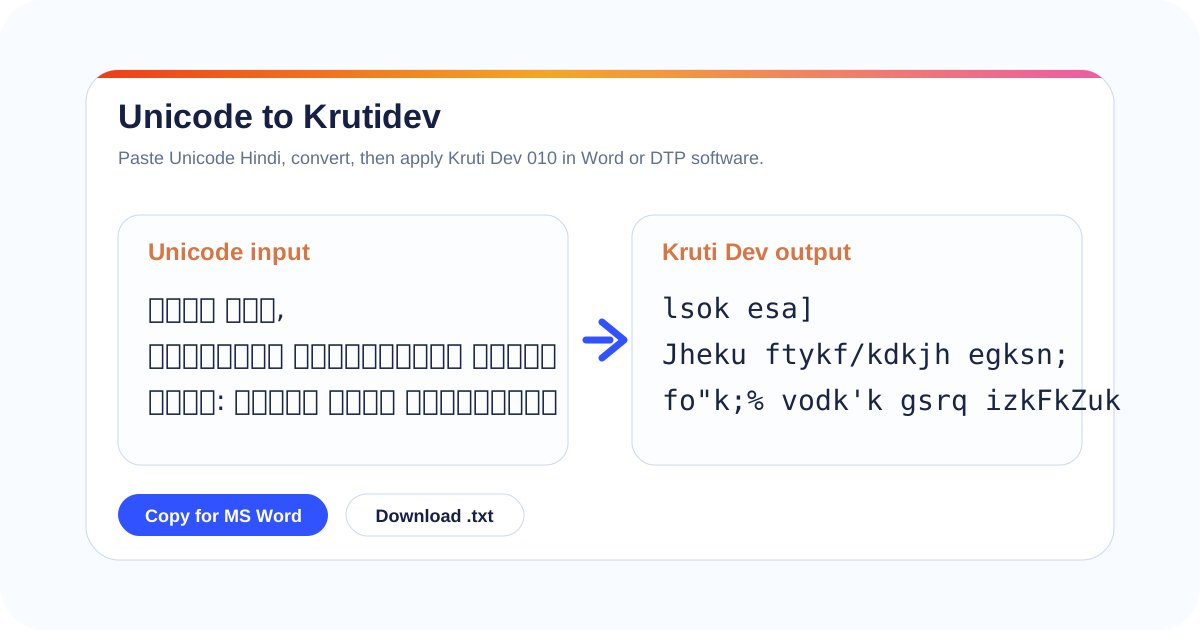
If the source is readable Hindi Devanagari in a browser, email, Google Docs, WhatsApp, a government portal, or a modern Word document, it is normally Unicode text. That is the correct source for this page. If the source already looks like coded English characters such as lsok, Hkkjr, or mixed symbols, it is probably legacy Krutidev text and should go to the reverse converter instead.
Do not use conversion as a substitute for font selection. A font change only changes how characters are displayed; conversion changes the character mapping. This distinction matters when a Word file must be accepted by an older template, a print shop, or a typing-test system. Keep one copy of the original readable Hindi text until the final pasted document has been checked.
Check the destination before sending the file
Word, Excel, PageMaker, CorelDraw, Photoshop, and local office systems can each treat pasted text differently. Some preserve line breaks exactly, some replace smart quotes, and some silently change fonts when a file is opened on another computer. When the document is important, open it once after saving and confirm that the required Krutidev font is still selected.
If the receiver only needs readable Hindi, send Unicode. If the receiver specifically asks for a legacy font, send the converted version and mention the font used. This small habit prevents the common loop where a file is sent back because it displays correctly on one machine and breaks on another.
Use smaller batches for sensitive work
For long notices, legal text, certificates, marksheets, name lists, or public-office drafts, convert paragraph by paragraph. Smaller batches make it easier to compare the output with the original, catch line-break issues, and keep tables aligned. This is slower than converting everything at once, but it is safer when the document will be printed, uploaded, or submitted officially.
Practical edge cases users actually hit
A stronger converter page should answer the messy cases that appear after users paste real Hindi documents, not only ideal one-line samples.
Mixed Hindi and English text
Office letters often contain English names, department abbreviations, file numbers, email addresses, and URLs. Keep those parts unchanged unless the destination template specifically expects all text in a legacy font. After conversion, scan every English token because old font workflows can make punctuation and spacing look different inside Word or DTP software.
Tables, notices, and forms
If the source is a table, do not paste the whole page blindly. Convert the Hindi cell text first, then paste it back into the table structure. This keeps columns, line breaks, bullets, serial numbers, and signature blocks stable. For recruitment forms or notices, check the final print preview before sending the file onward.
PDF copy-paste problems
Hindi copied from PDFs can contain invisible line breaks, broken spaces, or reordered characters. Clean the source text before conversion where possible. If the converted output has strange breaks, return to the Unicode input, fix the paragraph spacing, and convert again rather than repairing the legacy output one character at a time.
Names and official spellings
Human names, village names, caste names, districts, designations, and legal terms deserve a second check. A converter can transform the mapping, but it cannot know whether a name is spelled correctly for an affidavit, certificate, mark sheet, notice, tender, or government application.
When the receiver asks for a font file
Some offices say "send in Krutidev" when they mean the final Word file must display using that font. Others want plain converted text. Ask for the required file format when the instruction is unclear. Sending Unicode text to a legacy-only workflow, or sending legacy text to a web/mobile workflow, both create avoidable rework.
Why a reverse page matters
Real archives are mixed. One paragraph may be modern Devanagari and another may be old Krutidev. The safest habit is to identify the source first: readable Hindi goes through this page, while coded-looking legacy text belongs on the reverse page. That separation keeps mappings cleaner and avoids corrupting already-correct text.
Reference notes and sources
These notes keep the page factual: Unicode is an encoding standard, Mangal is a Unicode Devanagari font, and Indian language typing workflows include Unicode and keyboard-layout choices.
Unicode to Krutidev hub
Start here when the source text is readable Hindi from Word, email, WhatsApp, Google Docs, websites, forms, or any Mangal/Unicode document.
Where Unicode to Krutidev fits
Unicode to Krutidev connects to nearby converter pages for reverse conversion, related legacy fonts, and Krutidev display help.
Unicode to Krutidev FAQ
Clear answers for Unicode to Krutidev Converter users, written in simple English.